Ask the Experts: Understanding Your Audience

Each month, I invite guest contributors to speak about timely, relevant, and sought-after topics that are important for cause-focused organizations like yours to be aware of as you grow. For August, I've invited my friend, Jen Gordon, to share about uncovering the hidden desires of your donors and customers. Understanding your audience will be a key to your success.

Uncover the hidden desires of your donors and customers.

Q. What are the latest trends in your industry?

A. What I’m seeing lately is a trend toward companies identifying their marketing strategy first, and then outlining the tactics they will take to align with that strategy. By “strategy," I mean really digging into the hidden and unspoken desires of your prospect, and developing your approach to that audience around those wants.

In the past I’ve seen marketers using tactics like, “Hey, let’s send out a direct mail piece like the one I saw from XYZ organization.” Or, “Oh, let’s send an email campaign about our next fundraiser,” before truly identifying why their prospects would want to engage the content.

There has always been interest in the marketing world around the psychology of marketing, but today there is a lot more content readily available about the psychological drivers that cause prospects to take a certain action, to leave, buy, or donate. Nir Eyal writes a blog that focuses on consumer behavioral triggers and habits. Though most of his work focuses on software development, the concepts he teaches are applicable to any industry.

Q. What is the biggest mistake you see people making in regards to what you do?

A. One of the mistakes I have seen many times over the years of creating landing pages and sales funnels is that business owners may have a short-term plan or campaign they want to launch, but don’t have a clear roadmap for the year in terms of where they want to be in 30/60/90 days or six months, etc. They generally know what they want to achieve, but the path getting there is often unclear.

Right now, I’m working on a marketing calendar (with some inspiration from this SEJ post) for my own product, the Hope Deck, using Google Sheets, Google Calendar and Trello—all free tools!

Q. What is your best piece of advice?

A. If you aren’t trained on how to uncover your prospect, donor, or customer’s hidden, unspoken wants/desires, then find someone who is. :) Learning how to do this while working on the Hope Deck has completely changed how I connect to, and communicate with, my audience.

It has allowed me to understand how I can bring the maximum amount of value to my customers. I no longer assume that I am a part of my target audience, which I have done in the past. My mind is open to a wider range of problems people want to solve, and emotions they want to feel or not feel.

Q. What is one thing readers can do this week to improve?

A. Start figuring out what your audience really wants—not what they need, but what they want. I created a spreadsheet for the Hope Deck where I am in the process of identifying my customer’s unspoken desires. Don't get overwhelmed. Keep it simple to begin, and then edit or expand it over time.

Q. Anything else we should keep in mind?

A. The best way to uncover these hidden wants and desires is to actually talk to your customers or donors. I’d recommend recording the conversations, if possible, so you can review them later and pick up on details you may miss in the moment. Another option is to get them in writing through emails or surveys. You'll then use their language when speaking to them in your emails, social media, and any other communication pieces, so that it's familiar and relatable.

And be sure to ask them open-ended questions about why they choose to partner with, donate to, purchase from, or do business with you. Most of the time they won’t express their hidden desires outright, but you can infer from their answers what is important to them, and from there brainstorm motivation, emotional triggers, and things like that.

Receive 21 Free or Cheap Marketing Ideas

Jen Gordon is a momma, artist, and entrepreneur based in Atlanta, Georgia. For the past eight years of her career, she’s specialized in conversion centered design, working closely with marketers and business owners to increase sales by testing and optimizing their sales funnels. Her geeky passions include finishing stuff, brain rewiring, crafts of any sort, and anything Dolly Parton has ever said or sung. :) You can find her latest creative project, a collection of inspirational postcards, at www.HopeDeck.com.



PIN THIS POST FOR LATER:

Start figuring out what your audience really wants—not what they need, but what they want. Uncovering the hidden wants and desires of your audience will be a key to your success.

Kristi Porter, founder at www.signify.solutions

I'm Kristi Porter, and I started Signify to provide writing, consulting and strategy services to nonprofits and for-profit organizations with a social mission, primarily through copywriting, marketing and business communications. I believe that cause-focused organizations like yours are the future of business. You're proof that companies can both make money and do good. And I'm here to help you get noticed and grow. When you succeed, we all win.


Why Free Help Isn't Always the Best Option

Whether you are just getting your organization off the ground, are in a growth phase, or are trucking along at a good pace, today's topic has probably hit your radar at some point. So far this month, I've covered the lessons I learned from my first year in business, 10 tools to make your small business look more professional, and my favorite tip to get people to spread the word about you. But now, I want to address how you should approach a situation in which you're asked for, or offered, free help.

No matter from what perspective you're reading this post, as a "do good" organization, you likely have a love-hate relationship with free help. You're either at a nonprofit or purpose-driven, for-profit who has taken advantage of long- or short-term volunteers, or you've been asked to do something for free for which you'd normally charge. 

And you likely have both good and bad experiences. I know I do.

Here's why free help isn't always the best option for nonprofits and social enterprises.

Volunteers and interns can either be the best thing that ever happened to you, or the worst. Nonprofits often heavily rely on volunteers to keep the doors open. And social enterprises, especially just starting out, may be in the same position. Sometimes these people are even called interns, and become more of the process. You, like me, may also know fully-functioning businesses that are solely run by volunteers. Any of these can be a great strategy. But, it just depends on who these people are, and how hard they're willing to work. Regardless, a system should be put into place to account for any "bad eggs" that do come along. In these situations, people rarely have bad intentions. They may, however, have a bad work ethic. Or the scope of the position may change, or it was never adequately explained. There can easily be fault on both sides.

On the flip side, there may be times when you or your organization is asked to do something for free. It could be offering your service at an event, like providing free coffee at a conference. Or it might be giving away your product, such as samples in a goodie bag. As before, neither is a bad option. In fact, they could lead to other revenue sources or exposure you might not receive otherwise. But every opportunity should be carefully thought out. I don't think there is a blanket response. Value is measured in more ways than one.

In today's post, I shared with the folks over at Horkey Handbook all about the pros and cons of either being approached by someone who offers their help for free, or how to handle being asked to do something for free. 

READ THE FULL POST HERE.


PIN THIS POST FOR LATER:

There are both values and costs when it comes to volunteers and interns. Social enterprises and nonprofits must weigh the pros and cons when either offered free help, or asked to provide their service or product for free.

Kristi Porter, founder at www.signify.solutions

I'm Kristi Porter, and I started Signify to provide writing, consulting and strategy services to nonprofits and for-profit organizations with a social mission, primarily through copywriting, marketing and business communications. I believe that cause-focused organizations like yours are the future of business. You're proof that companies can both make money and do good. And I'm here to help you get noticed and grow. When you succeed, we all win.


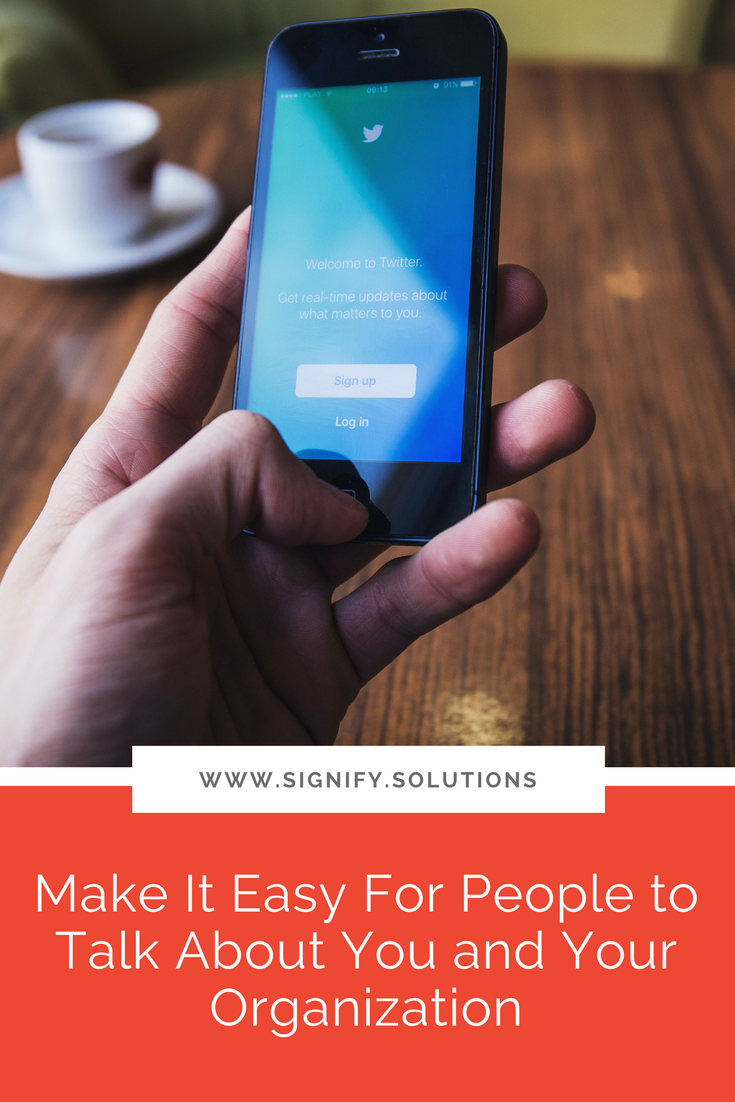
Make It Easy For People to Talk About You

This month we've been talking about building your business, lessons to learn from, and making it look more professional. Today I want to give you one of my top tips for getting the word out about your organization, a new product or service, latest initiative, or some other big news you want people to know about.

Make it easy for people to talk about your organization, your latest initiative, a product or service, or your latest big news with this one, simple, but powerful tip.

I first heard about this strategy in an interview Jon Acuff did years ago with Connect Faith magazine. It certainly wasn't the focus of the article. It was just sort of a side note in the feature, but it stopped me in my tracks. I think I literally quit reading and exhaled, "hmmm," aloud. It was so simple, but so remarkable for me as an event marketing professional. I started implementing it immediately, and never looked back. It was an incredibly effective tool for the organization I worked for at the time (that they still use), and it's proven itself time and again for the clients I work with now.

So, what is it?

Provide social media samples and images for your network of influencers.

Make a Big Impact on a Small Budget

Let me explain. You likely write emails, blogs, and social media posts for your organization's latest, greatest, and next big thing. You spend a lot of time crafting exactly what needs to be said, sending it out to your database, and posting it on your social outlets. If you have a staff or board, maybe you even give them a nudge to forward and share it. You're excited, and you know they will be too. You're gearing everyone up to shout this message from the rooftops! Perhaps, if you're a real go-getter, you even send a reminder.

But after the launch, you look back and hear . . . crickets.

Few people shared the message.

They said they would. They were excited. They had every intention. But, in the end, time or writer's block or a Netflix binge got in the way.

They'll do better next time, right?

Maybe. I'm not usually a cynic, so it's entirely possible. But I'd rather you provide all influencers with sample social media posts and images to make it as easy as possible for them to talk about what you've got going on.

In the interview I mentioned above, Jon stated that when the events he was speaking at provided him with posts he could literally copy and paste on his social media outlets, it removed any barriers to his good intentions slipping away. 

Sure, you'd probably rather someone gush in their own words about your organization, but what's better: the slim chance that they might do it, or the high probability that they will? I think most of us would prefer the second option.

So, that's what I started doing and it worked BIG TIME! Awareness and engagement increased. Influencers thanked us for supplying them with exactly what they needed, and in the end, we reached more people, sold more products and event tickets, and gained a larger base of supporters.

What's an influencer?

This might all sound great to you, but perhaps you're asking yourself exactly who an "influencer" is and how you find one of these mythical creatures. Probably the purest definition from a marketing perspective would be someone with a large and established network. They influence crowds. These are usually big name folks. 

Maybe this is the person who started your organization, a spokesperson, a celebrity affiliation, well-known speaker, author, or personality, and people like that. To work with them on the level I'm talking about here, you'd already need an established relationship. It's highly unlikely that you can just email George Clooney and tell him that your organization provides relief to third world countries, and by the way, you have a new product coming out, and would he post it on Twitter if you wrote him the samples . . . Ummmm, sadly, probably not. (But if you try it, and it works, please let me know!)

In addition to the types of men and women with large networks, I believe you should also include all others already in your circle. The "low hanging fruit," if you will. After all, everyone has a network of some size. And sometimes grassroots movements are the most effective. So, be sure to include staff, volunteers or interns, board members, event speakers, and anyone who has a vested interest in seeing your organization or event succeed. When you've made it this easy for them, you might just be surprised who ends up sharing.

21 Free or Cheap Marketing Ideas

What should you include?

As mentioned, you should include pre-written social media samples and images. The three I am typically asked to write for include Facebook, Twitter, and Instagram. But you'll need to determine if those are right for you.

Here are a few other tips:

  • Make sure all pre-written text is the correct length for each outlet. For example, don't send people copy that should be Tweeted about, but extends well beyond the 140 character count. #annoying

  • Ditto with images. They aren't a one-sized-fits-all. Make sure you provide images that are correctly sized for wherever you're asking them to share.

  • Write it from that person's point-of-view, when necessary. At times, it may be fine for everyone to say the same thing in the same way, but with some easy tweaks on your part, it will be far more effective. For example, if you're sending these items to event speakers, write it as "I'm speaking at..." rather than just general event info. (Or include both)

  • Try writing two to five examples for people so they can use whatever fits their voice/brand, or can say different things at different times without just sounding repetitive.

  • Encourage people to customize the text for their own voice or brand, but don't expect it. Some will, but most won't.

  • Always provide a deadline or schedule, and always send a reminder. Again, people are busy, so if you're on a timeline, they need to be made aware of it.

  • Deliver it in whatever way works best for you and your crowd. This may be via email, Dropbox, Google Drive, Google Site, a hidden webpage, or something else. I would not suggest sending huge, mass emails, though. Segment the group as needed. For example, send an email to staff only, and don't include event speakers unless they are staff members.

Want to take it a bit further?

  • Include videos for sharing as well.

  • If the people you're sending these items to are also bloggers, you might even consider writing some blog posts they can copy and paste as well. (Don't forget images or video!)

  • Ask people if there is anything else you can provide them with for sharing. Maybe their website has a banner image that can be used, or maybe they have an email list and would be happy to send something out that is customized for them.

  • Host this "spread the word" kit on your website so that other fans can share it.

  • Include a "spread the word" kit or just one or two samples and images in confirmation pages and emails to event attendees. (Don't give them too many items or they'll get overwhelmed.)

Anything else to remember?

Hopefully, you're excited about this strategy. In fact, you're mind is probably already buzzing with the different items you can put together, and how you can utilize it for your next launch. I can't wait to hear about how it goes!

The other added benefit of this technique that we haven't really talked about yet, is that this strategy allows you to control the message. Maybe you've asked someone to share about your event before, for example, but they got the details wrong, or didn't make it sound very exciting, or just missed the mark somehow. This trick ensures that your message is said exactly as you wanted. No more guessing. (I have a PR background, so this this method means a lot! ;)

Before I go, I do want to give you one note of caution: use this strategy sparingly. You want to save it for important things, not a coupon for $5 off an next order. Definitely don't wear your people down, or they'll be less likely to share when you really need it.

Other than that, there are lots of ways you can tailor this strategy for your cause and organization. And if you find a way to improve upon it, let me know!


PIN THIS POST FOR LATER:

Mobilize influencers, fans, and insiders to spread the word about your cause or organization. This one tip makes it simple and effective. Plus, receive other free and cheap marketing ideas for your nonprofit or social enterprise.

Kristi Porter, founder at www.signify.solutions

I'm Kristi Porter, and I started Signify to provide writing, consulting and strategy services to nonprofits and for-profit organizations with a social mission, primarily through copywriting, marketing and business communications. I believe that cause-focused organizations like yours are the future of business. You're proof that companies can both make money and do good. And I'm here to help you get noticed and grow. When you succeed, we all win.


10 Tools to Make Your Small Business Look More Professional (Most Are Free!)

I wrote last week that my business just celebrated its first birthday. That was a milestone many of you are eagerly awaiting, or remember fondly, as well. And for those of us who work solo or with only a small team, it's extra special because you not only don a party hat for yourself, but also for the dozens of hats you wear on a daily basis.

I'm not sure it will ever get a lot easier, because I don't really know anyone, anywhere, at any size company who wishes they had more to do. But when you have a larger team, you at least have more of a division of responsibility. So, it can be challenging to look like a larger organization when it's just you at a desk in your guest bedroom, or just you and a few friends who decided to jump in and solve one of the world's problems over coffee one afternoon. However, looking more professional, like a large business would, can often mean more sales or donations, more support, sponsors, and more attention. 

10 Tools to Make Your Small Business Look More Professional

So, how do you make that happen? I still have a lot to learn myself, but here are just a few of the tools that help my one-woman show look a wee bit bigger and more professional.

1. Unsplash

It's more important than ever to utilize images in your content. In fact, did you know that Facebook will show your posts to more people if you include images? Yep, true story. Additionally, blog posts with images are more engaging to look at, and it's also easier to share them on sites like Pinterest. But if you aren't a photographer, or can't continually pay for stock images, you may feel a little stuck. Well, Unsplash is one answer. They have beautiful stock photography completely free of charge. You don't even have to credit the source, if you don't want to. Unsplash is my go-to, but there are oodles of other options if you Google "free stock photography." (It may take a bit of searching to find a site with the kind of photography that matches your brand.) Oh, and here are a few other sites, including a few that have video.

2. Canva

Having a designer on staff isn't something that all of us can afford. Heck, we can't even hire a designer for every little thing we need on a weekly basis like blog posts, newsletters, email blasts, reports, flyers, or social media prompts. So, we need a workaround. Enter Canva. It's not perfect, but it is pretty user-friendly, and allows you to make pretty graphics without the use of a designer. One of the best features is the pre-built templates that make it quick and easy to get started. They have templates for social media, presentations, eBooks, infographics, flyers, brochures, postcards, ads, and much more. You can also buy additional templates, photos, and illustrations for just $1. I currently use the free version. 

3. Bitly

Space on social media is limited and valuable. So, why take up half the allotted real estate with a hideously long link? Bitly is a terrific, free service that shortens links to usually around 15 characters. Now you can actually say what you need to say on Twitter, and leave room for sharing and hashtags too. Plus, it gives the indication that you actually know how to use social media. A number of companies also use Bitly, but have branded URL's that make them look extra spiffy. I'm going to try and learn about this soon, and if I do, I'll be sure to let you know on this blog. Until then, the free version is a great option.

Download the Full List

4. Hootsuite / Buffer

I recommend these two services to small business owners and employees a lot, but I think they scare those who don't feel technologically inclined. I get it. When your To Do list is already piling up, it's hard to think about sitting down and learning new programs or software. However, most of these same small business owners know they need to be more consistent and present on social media, but struggle to do so. That's where these two gems come into play. By taking 30 minutes or an hour to schedule your social media ahead of time, you can knock it out all at once, and just return to it on a weekly, bi-weekly, or monthly basis without letting time continually pass you by as you do nothing or let it remain sporadic. I use the free version of both of these because the free versions have limits to the number of accounts you can link. I use Hootsuite for LinkedIn and Twitter, and Buffer for my Facebook Group. (Side note: these two also have their own capabilities to shorten links.)

UPDATE: Check out this post where I compare 13 social media scheduling tools! 

5. Contracts and Such

Freelancers, entrepreneurs, and small businesses of all kinds tend to fly by the seat of their pants. Behind-the-scenes, there's some duct tape, hopes, and prayers holding things together. So, one not always easy, but simple thing you can do—and need to do—is protect yourself legally. All my clients, including friends, sign a letter of agreement when I start a project with them, which explains everything clearly so we are on the same page. And one thing I put off for too long, but have since rectified, is adding terms and conditions to my website. No matter if you're a nonprofit, or for-profit, you need to make sure you're up-to-speed legally. And The Contract Shop has helped me do that.

Most of my friend Christina's clients are in the creative and wedding industries, but there are also multiple offerings for the rest of us including terms/conditions/privacy disclosures for websites, affiliate agreement, collaboration contract, coaching contract, graphic design contract, independent contractor template, LLC operating agreement, no disclosure agreement, conference speaker contract, and much more. These templates are incredibly easy to use! I had my terms, conditions, and privacy policy on my website in less than 15 minutes!

6. HelloSign

Should you ever need to have people outside your organization sign legal documents, HelloSign is a great route to take. And you get three free documents per month. This is how I facilitate my client contracts and letters of agreement. It's also a much better option than emailing Word docs, having parties sign them, scan them, and email them back. Once all parties have signed electronically, each get a notification, and can download a signed PDF. Voila!

Get 10 Bonus Tools

7. Google Voice

For years, way back before it was popular, I've only had a cell phone. No home phone, and now, no outside office to host a phone anyway. But there are certain times, like on a public website or business documents, that I don't want to give out my cell. Google Voice is the perfect, free alternative. When someone calls my Google Voice number, it still rings my cell phone. It works a bit like call forwarding in that way. And you can also get voicemails transcribed and emailed to you. You can even select your phone number to make sure it's geographically close to you, or has a particular set of numbers that you'd like to use. 

8. PO Box

I work from home, except when I'm at a coffee shop. So, much like the Google Voice, there are times when I don't want to list my home address on public or professional documents. So, I use a PO Box instead. I have the smallest box available at $38 for six months, which was the cheapest price in my research. And, the good ol' USPS has now gotten on par with other PO Box providers by allowing you to use a street address in case you don't want to list a PO Box. 

9. Squarespace

A decent looking website is non-negotiable these days. No one will take you seriously otherwise. So, the two most affordable and popular default options are Wordpress and Squarespace. I choose the latter for this site and am really happy with it. Both make it pretty easy to DIY a site if you can't afford a designer (or to update it after its been designed), but I prefer the options, security, and customer service that come with Squarespace. (And should you need a designer, I recommend Mad+Dusty.) Regardless, pick something that works well for you, and invest the time into making it look good.

10. G Suite

If you're running an organization of any size, I'd really love to tell you to stop using something like yourname@gmail.com. I think if people are donating to you, or buying your products, you need to kick it up a notch. They should feel safe in giving you money, and having your own branded email address gives a sense of comfort and professionalism. I pay just $5 per month for this service and it's well worth it. G Suite comes with other features as well, but the branded email is my fave. 

What have I missed? What helps your small business look more professional?

(Note that some links are referral links.)


PIN THIS POST FOR LATER:

For small businesses, looking more professional can often mean more sales or donations, more support, and more attention.

Kristi Porter, founder at www.signify.soluti

I'm Kristi Porter, and I started Signify to provide writing, consulting and strategy services to nonprofits and for-profit organizations with a social mission, primarily through copywriting, marketing and business communications. I believe that cause-focused organizations like yours are the future of business. You're proof that companies can both make money and do good. And I'm here to help you get noticed and grow. When you succeed, we all win.